Electronic Learning Toys, Post
Choosing the Best 1080p Kids Digital Camera for Your Child’s First Hobby
May
Choosing the Best 1080p Kids Digital Camera for Your Child’s First Hobby
Children are naturally curious observers of the complex world around them. They possess an innate ability to notice the minute details that adults often overlook: the intricate patterns in a blooming flower, the spontaneous, funny expressions on a pet dog’s face, or the vibrant, high-contrast colors of a summer sunset in Da Nang. Giving them a professional-grade tool to capture and document their unique perspective is one of the most empowering gifts a parent can provide. While you might be tempted to simply hand over an expensive smartphone, investing in a dedicated 1080p kids digital camera is a far superior choice for their developmental “hardware.”
A high-quality 1080p kids digital camera offers a rugged, distraction-free environment that actively encourages artistic expression, keen observation, and complex storytelling. For a child, this is more than a toy; it is a dedicated terminal for visual data processing. If you are looking to foster a lifelong hobby in your child, understanding the “system requirements” of a great beginner camera is essential.
A dedicated camera encourages children to explore their artistic side outdoors.
Why Not Just Give Them a Smartphone? The Case for Dedicated Hardware
The primary issue with using a modern smartphone for photography is the sheer volume of “digital background noise.” A smartphone is a multi-purpose device filled with addictive games, high-speed internet browsers, and constant social media notifications. A 1080p kids digital camera, by contrast, is a single-purpose device with a 100% focus on the task at hand. Much like an IT student focusing on a Node.js project, a child with a dedicated camera learns to focus entirely on the logic of framing a shot and capturing a specific moment without the urge to “context-switch” to an app.
Physical Durability and Risk Management
Furthermore, smartphones are delicate instruments composed primarily of glass and aluminum—materials that are not optimized for the high-impact environment of a playground. They are incredibly expensive to repair and often lack the “ruggedized” shell needed for daily adventures. Handing a $1,000 smartphone to a 5-year-old is a recipe for a “system crash.” In contrast, a 1080p kids digital camera is built to survive the chaotic, high-vibration reality of childhood, whether the child is at home or working in an internet cafe environment.
Essential Features of a High-Performance 1080p Kids Digital Camera
Not all children’s cameras are created equal. Many budget models on the market utilize software “interpolation” to fake high resolution, resulting in grainy, blurry images that lead to user frustration. When choosing a device for your little photographer, look for these professional specifications:
1. True 1080p High-Definition Video and Sensor Resolution
The “1080p” designation refers to the vertical resolution of the video ($1920 \times 1080$ pixels). A true 1080p kids digital camera will have a CMOS sensor capable of capturing crisp, clear photos—typically ranging between 12.0 and 20.0 megapixels. This ensures that when the data is transferred to a family computer for editing—perhaps using GIMP—the memories look vibrant and sharp enough for physical scrapbooking or high-quality digital displays.
2. The “Hard-Shell” Firewall: Shock-Proof Silicone Casing
In the world of toddler electronics, durability is a non-negotiable “system requirement.” The best 1080p kids digital camera will feature an internal hardware system securely wrapped in a thick, eco-friendly, and shock-proof silicone bumper shell. This material acts as a physical firewall, ensuring the camera can survive being dropped on concrete or tumbled down the stairs. Additionally, ensure the camera includes a high-tensile neck lanyard, allowing for high portability during outdoor research.

A shock-proof silicone casing protects the camera from inevitable drops and bumps.
The User Interface: Logic and Creative Filters
Children do not want to navigate through complex technical menus to adjust ISO, white balance, or aperture. A great 1080p kids digital camera features large, tactile buttons and a highly intuitive interface (UI) that even a preschooler can master. This “low-latency” design ensures that the gap between seeing a subject and capturing the photo is as small as possible.
In-Camera Processing and Creative Logic
Look for models that include fun, built-in digital “filters”—stickers, cartoon frames, and color shifts. These features allow children to “edit” their work directly on the 2.0-inch or 2.4-inch LCD screen. This is a child’s first introduction to **Post-Processing**, helping them understand how visual data can be manipulated to tell a different story or evoke a specific emotion. It is a simplified version of the professional photo editing tools that Trần Dương Luân might use in a full-stack project.
Comparative Analysis: Camera Models for Different Ages
| Feature Specification | Toddler Edition (Ages 3-5) | Junior Explorer (Ages 6-10) |
|---|---|---|
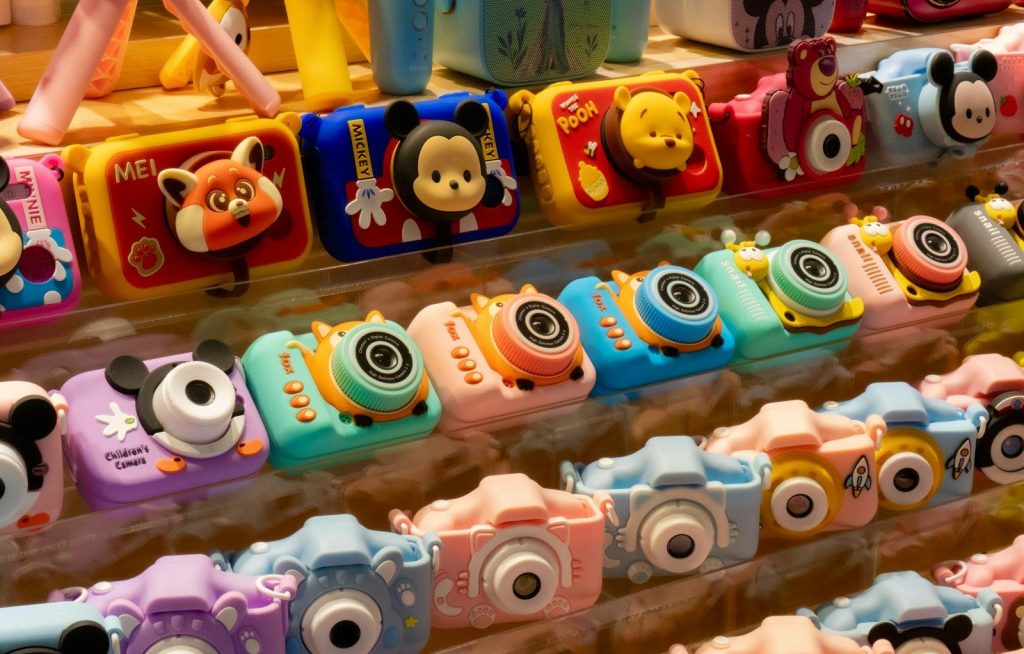
| Casing | Thick, animal-shaped silicone. | Sleek, shock-proof matte plastic. |
| Digital Zoom | 4x Fixed Zoom. | 8x Variable Zoom. |
| Games | 3-5 Simple Logic Games. | Advanced Puzzle Games. |
| Storage | Up to 32GB Support. | Up to 64GB Support. |
The Developmental Benefits of Digital Photography
Using a 1080p kids digital camera provides significant cognitive and educational “upgrades” to a child’s development:
- Visual-Spatial Logic: Learning to center a subject within the frame is a practical lesson in geometry and balance.
- Nature Observation: Photography encourages them to explore the environment, searching for interesting insects or the “back-end” details of a leaf’s structure.
- Language and Narrative: Reviewing the photos at the end of the day provides a fantastic opportunity for language development as they explain the “story” behind each file they captured.
- Digital Literacy: Managing a “database” of photos on a MicroSD card and transferring them via USB is an early introduction to file management—a skill essential for anyone moving toward Node.js or Restful Web Services.

Focused concentration through a lens builds patience and technical skill.
Professional Pro-Tips for the New Photographer
- The “Golden Hour”: Encourage your child to take photos during the sunrise or sunset in Da Nang. The natural lighting provides high-contrast “data” that makes even simple subjects look professional.
- Stabilization: Teach them to hold the camera with both hands and keep their elbows tucked in. This reduces the “noise” and vibration in their 1080p video footage.
- Subject Diversity: Challenge them to take photos of “tiny things” (Macro) and “big things” (Wide Angle) to understand how different perspectives change the story.
Conclusion: Capturing the Future
A 1080p kids digital camera is much more than a simple toy; it is a powerful creative tool that provides your child with the agency to document their own life. By choosing a durable, high-resolution model, you are ensuring that their precious early memories are captured with stunning clarity while they develop a rewarding new skill. In a world of digital complexity, the simple act of taking a photo is a pure expression of logic and art. Explore our collection of kids’ cameras today and let your child’s photographic “build” begin!
Frequently Asked Questions (FAQ)
Q: Does the 1080p kids digital camera come with built-in storage?
A: Most cameras have a very small internal buffer. We highly recommend using a **32GB MicroSD card**, which can store over 5,000 photos or several hours of HD video. This is the hardware equivalent of having enough RAM to run a complex application smoothly.
Q: How do I manage the battery life?
A: These cameras typically feature a built-in rechargeable lithium battery. You simply plug it into a standard USB wall charger or a computer. A full “build” of the battery generally takes about 2.0 to 2.5 hours and provides up to 3.0 hours of active “runtime.”
Q: Can the photos be transferred to a smartphone?
A: Yes. You can remove the MicroSD card and use a card reader, or connect the camera directly to a computer via USB to download and share your child’s masterpieces. This is the “deployment” phase of their artistic process.
Q: Is the resolution real or interpolated?
A: At zixstory.com, we prioritize cameras with “True 1080p” hardware sensors. Avoid cheaper models that use software to “upscale” low-resolution images, as this leads to a “loss of data” and poor image quality.
