Electronic Learning Toys, Post
The Ultimate Guide to Interactive Coding Robots for Early Learners
May
The Ultimate Guide to Interactive Coding Robots for Early Learners
Technology is becoming an essential part of modern education, and coding is now considered one of the most valuable skills children can learn from an early age. As schools and parents focus more on STEM education, interactive coding robots have emerged as powerful tools for teaching programming concepts to young learners in a fun and engaging way.
Unlike traditional coding lessons that rely heavily on textbooks or complicated computer programs, interactive coding robots introduce children to programming through hands-on activities, games, and problem-solving challenges. These educational robots help kids understand coding logic, sequencing, critical thinking, and creativity while making learning exciting and enjoyable.
Interactive coding robots are rapidly growing in popularity because they combine education and entertainment into one innovative learning experience. From preschool classrooms to homeschooling environments, these smart educational devices are helping children build foundational technology skills that will benefit them throughout their academic and professional lives.

What Are Interactive Coding Robots?
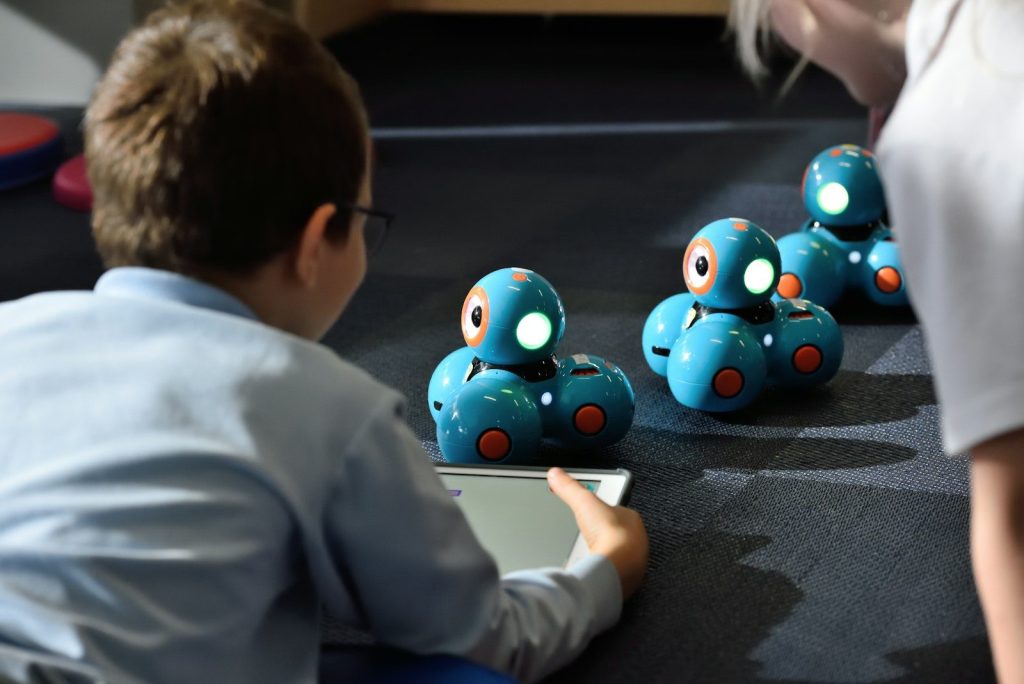
Interactive coding robots are programmable educational devices designed specifically for children and beginner learners. These robots can move, respond to commands, play sounds, light up, and complete tasks based on coding instructions provided by users.
Most coding robots are designed with beginner-friendly interfaces that allow children to learn programming concepts without needing advanced technical knowledge. Depending on the model, children can control robots using:
- Physical coding buttons
- Drag-and-drop coding apps
- Color-coded commands
- Block-based programming
- Voice interaction
- Touch sensors
Interactive coding robots simplify complex coding concepts into playful activities that are easy for children to understand and enjoy.
Why Coding Is Important for Early Learners
Coding is no longer a skill reserved only for software developers or computer engineers. In today’s digital world, programming helps children develop essential cognitive and problem-solving skills that apply far beyond technology careers.
Develops Critical Thinking Skills
Coding teaches children how to think logically and solve problems step by step. When programming a robot, kids must analyze situations, identify patterns, and create sequences to achieve specific goals.
This structured thinking process strengthens critical thinking abilities that are useful in mathematics, science, and everyday life.
Encourages Creativity
Many people assume coding is purely technical, but interactive coding robots also encourage creativity. Children can design obstacle courses, invent games, create stories, and experiment with robot behaviors.
This combination of logic and creativity helps young learners express themselves while developing innovative thinking skills.
Builds Confidence Through Problem Solving
When children successfully code a robot to complete a task, they experience a sense of achievement and confidence. Even mistakes become valuable learning opportunities because kids learn how to troubleshoot problems and improve their solutions.
This positive learning experience encourages persistence and resilience.
Prepares Children for Future Careers
Technology continues to shape industries around the world. Learning coding concepts at an early age prepares children for future careers in software development, robotics, engineering, artificial intelligence, cybersecurity, and many other growing fields.
Even for careers outside technology, coding helps children develop digital literacy and adaptability.
How Interactive Coding Robots Help Children Learn
Interactive coding robots provide a hands-on educational experience that makes abstract programming concepts easier for children to understand.
Makes Coding Fun and Engaging
Traditional coding lessons can sometimes feel difficult or intimidating for young learners. Interactive robots transform programming into a playful activity where children learn through experimentation and discovery.
Children remain motivated because they can immediately see the results of their coding instructions in real time.
For example, when a child programs a robot to move forward, turn, or dance, the direct feedback reinforces learning instantly.
Supports Hands-On Learning
Young children learn best through physical interaction and active participation. Coding robots encourage students to touch, move, build, and test their ideas instead of simply reading instructions on a screen.
This hands-on learning approach improves concentration, memory retention, and overall engagement.
Introduces STEM Education Naturally
Interactive coding robots are excellent tools for introducing STEM education, which includes science, technology, engineering, and mathematics.
As children experiment with coding robots, they naturally explore concepts such as:
- Sequencing
- Logic
- Cause and effect
- Measurement
- Spatial awareness
- Engineering design
- Computational thinking
These foundational STEM skills support long-term academic success.
Encourages Teamwork and Collaboration
Many coding activities involve teamwork and group problem solving. Children often work together to build challenges, solve coding puzzles, and complete robot missions.
Collaborative learning improves communication skills, social interaction, and teamwork abilities while making lessons more enjoyable.
Best Features of Interactive Coding Robots
Not all coding robots offer the same educational value. High-quality educational robots usually include features designed specifically for young learners.
Beginner-Friendly Programming
The best coding robots use simple interfaces that children can understand easily. Block-based coding systems and color-coded commands help reduce frustration and make learning accessible.
Interactive Sounds and Lights
Audio effects, music, flashing lights, and movement make coding activities more exciting and engaging for young children.
Durable and Child-Safe Design
Since children use these robots frequently, durable materials and safe construction are important. Rounded edges and sturdy components improve safety and longevity.
Multiple Learning Levels
Advanced coding robots often include different difficulty levels, allowing children to progress gradually as their skills improve.
Wireless Connectivity and Apps
Some robots connect to tablets or smartphones through educational apps that provide additional coding lessons, challenges, and interactive games.

Benefits for Parents and Teachers
Interactive coding robots are valuable educational tools for both schools and families.
Simplifies Technology Education
Parents and teachers do not need advanced programming knowledge to introduce coding robots to children. Most educational robots include simple instructions and guided activities.
Encourages Screen-Time Balance
Although some coding robots connect to apps, many activities involve physical interaction rather than passive screen use. This creates a healthier balance between technology and hands-on play.
Supports Classroom Engagement
Teachers use coding robots to create interactive STEM lessons that increase classroom participation and student enthusiasm.
Children are often more excited about learning when lessons involve movement, creativity, and interactive technology.
Ideal for Homeschooling
Homeschooling families appreciate coding robots because they provide structured educational activities while encouraging independent exploration and learning.
Popular Types of Coding Robots for Early Learners
There are several types of educational coding robots available for different age groups and skill levels.
Screen-Free Coding Robots
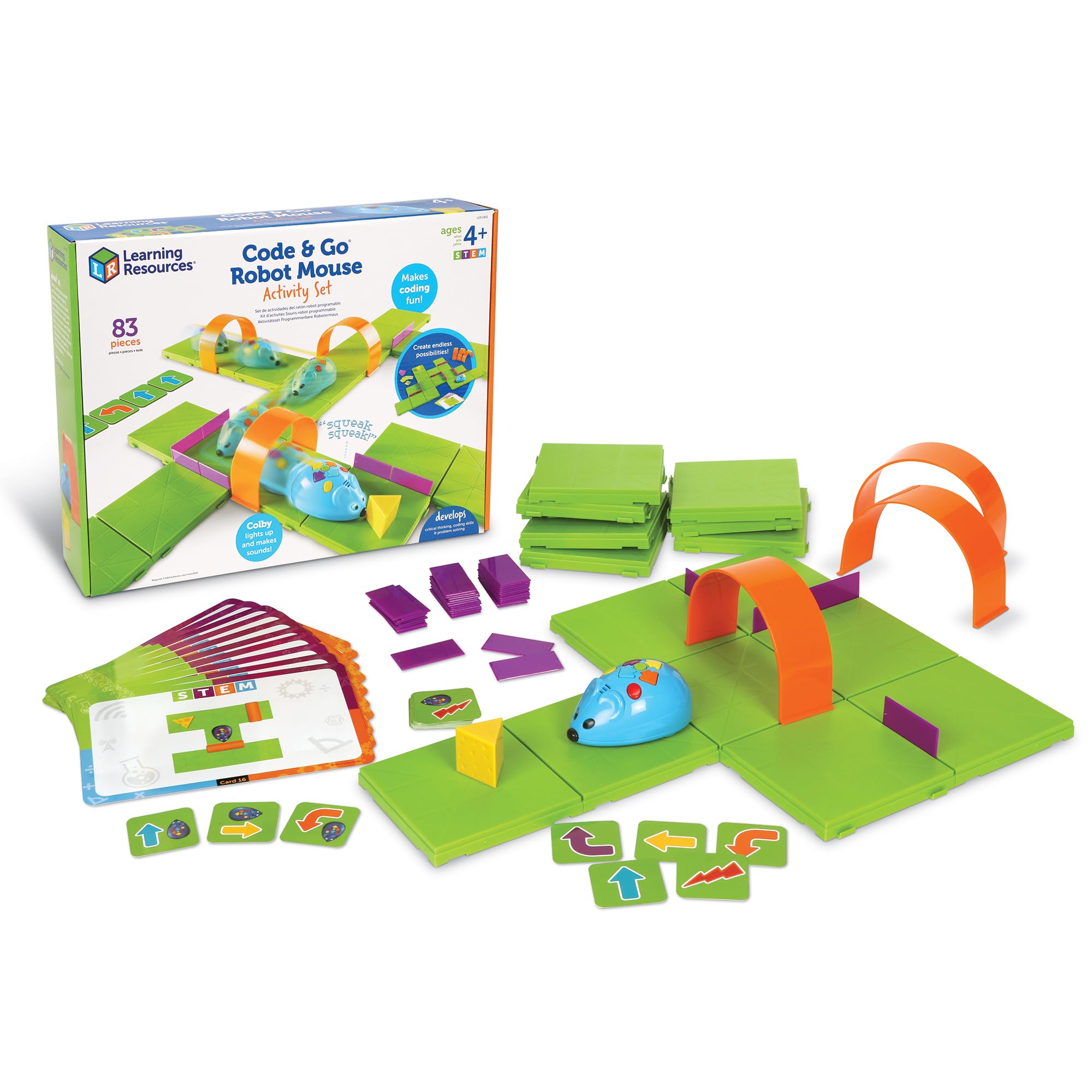
These robots use buttons, cards, or physical controls instead of apps or computers. They are ideal for preschool and kindergarten students.
App-Based Coding Robots
App-connected robots allow children to use drag-and-drop coding systems and interactive games to control robot movements and behaviors.
Build-and-Code Robotics Kits
Some advanced kits allow children to build robots themselves before programming them, introducing engineering and design concepts alongside coding skills.
AI and Voice-Controlled Robots
Modern educational robots increasingly include artificial intelligence features and voice interaction, making learning more dynamic and futuristic.
The Future of Coding Education
Technology education is evolving rapidly, and coding robots are becoming essential learning tools in modern classrooms. As artificial intelligence, robotics, and automation continue to shape the future, coding literacy will become even more important for younger generations.
Interactive coding robots help bridge the gap between play and education by introducing complex technology concepts in age-appropriate and enjoyable ways.
Future coding robots will likely include more advanced AI features, personalized learning experiences, augmented reality integration, and adaptive educational systems that respond to each child’s learning pace.
Conclusion
Interactive coding robots are transforming early childhood education by making coding fun, accessible, and engaging for young learners. Through hands-on activities, problem-solving challenges, and creative exploration, these educational robots help children develop essential STEM skills, logical thinking, and digital literacy from an early age.
From improving critical thinking and creativity to encouraging teamwork and independent learning, coding robots provide countless educational benefits for children, parents, and teachers alike.
As technology continues to influence every aspect of modern life, interactive coding robots remain one of the best educational investments for preparing children for the future while making learning exciting and enjoyable.
