Post
Building the Future: Why Coding and Programming Robots for Kids are Essential
May
Building the Future: Why Coding and Programming Robots for Kids Are Essential
In today’s technology-driven world, coding and robotics are no longer skills reserved only for engineers and software developers. They have become essential educational tools that help children prepare for the future. As industries increasingly rely on automation, artificial intelligence, and digital innovation, teaching kids coding and programming at an early age is becoming more important than ever.
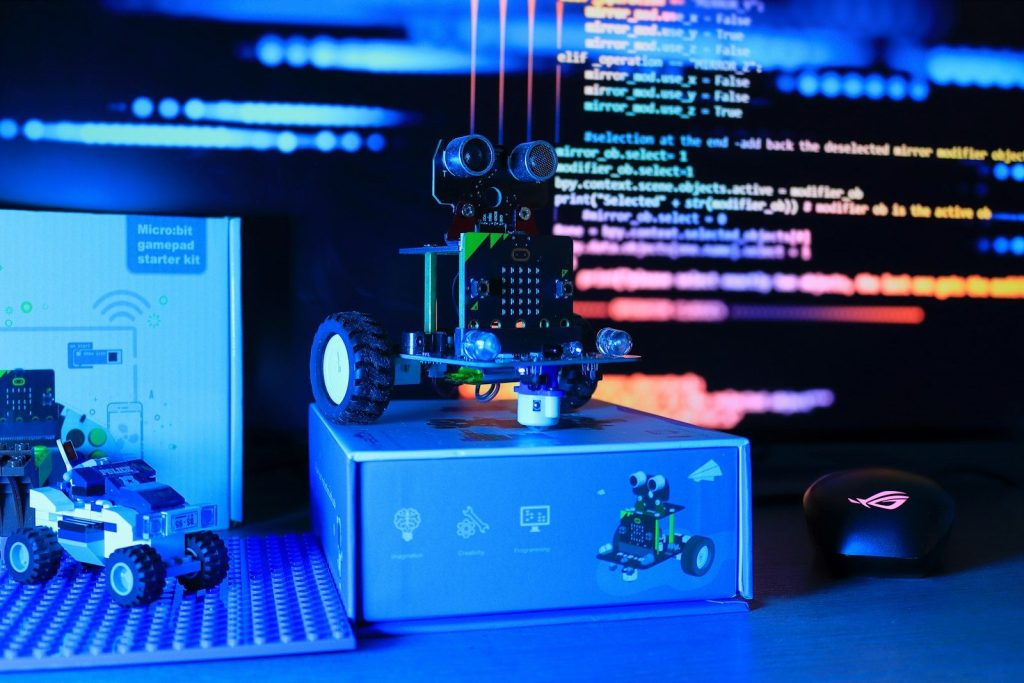
One of the most effective ways to introduce these concepts is through coding and programming robots for kids. These interactive educational tools combine hands-on learning, creativity, and technology to make coding fun, engaging, and accessible for young learners. Instead of learning complex programming theories from textbooks alone, children can physically interact with robots, create commands, solve challenges, and see immediate results from their work.
Coding robots are rapidly transforming classrooms, homeschooling programs, and home learning environments around the world. They not only teach children technical skills but also help develop problem-solving abilities, critical thinking, teamwork, and creativity. As education evolves in the digital age, coding and programming robots are becoming essential tools for building the next generation of innovators and creators.

What Are Coding and Programming Robots for Kids?
Coding and programming robots are educational robotic devices specifically designed to teach children the basics of computer programming and STEM education. These robots can move, respond to commands, complete tasks, play sounds, display lights, and interact with users based on programmed instructions.
Most educational robots are designed with beginner-friendly systems that allow children to learn coding concepts gradually. Depending on the robot model and target age group, kids may use:
- Block-based coding
- Drag-and-drop programming
- Physical coding cards
- Touch controls
- Voice commands
- Mobile applications
- Visual programming interfaces
These tools simplify coding concepts and turn learning into an exciting hands-on experience.
Why Coding Education Matters for Children
Technology is shaping nearly every aspect of modern life, from healthcare and transportation to business and entertainment. Learning coding early helps children understand how technology works while preparing them for future opportunities.
Develops Problem-Solving Skills
Coding teaches children how to approach problems logically and systematically. When programming a robot, kids must identify challenges, break tasks into steps, test solutions, and correct mistakes.
This process strengthens analytical thinking and improves their ability to solve problems independently.
Encourages Creativity and Innovation
Coding is not only about technical skills. It also allows children to express creativity by designing games, animations, robot movements, stories, and interactive projects.
Programming robots encourages experimentation and innovation, helping children think outside the box while building confidence in their ideas.
Builds Computational Thinking
Computational thinking is one of the most valuable skills in modern education. It involves recognizing patterns, organizing information, and developing step-by-step solutions.
Coding robots naturally introduce children to computational thinking through interactive challenges and problem-solving activities.
Prepares Kids for Future Careers
The future job market will increasingly depend on digital and technical skills. Careers related to robotics, software engineering, cybersecurity, artificial intelligence, data science, and automation continue to grow rapidly.
Introducing coding at an early age helps children develop foundational skills that may support future academic and professional success.
How Programming Robots Enhance Learning
Educational robots create an interactive learning environment that keeps children motivated and engaged.
Makes STEM Education Fun
Many children find traditional technical subjects difficult or intimidating. Programming robots transform STEM learning into playful and enjoyable activities.
Instead of memorizing concepts, children learn by experimenting, building, testing, and interacting with robots in real-world scenarios.
This hands-on approach increases interest in science, technology, engineering, and mathematics.
Encourages Active Participation
Children learn more effectively when they actively participate in the learning process. Coding robots encourage movement, interaction, and experimentation rather than passive observation.
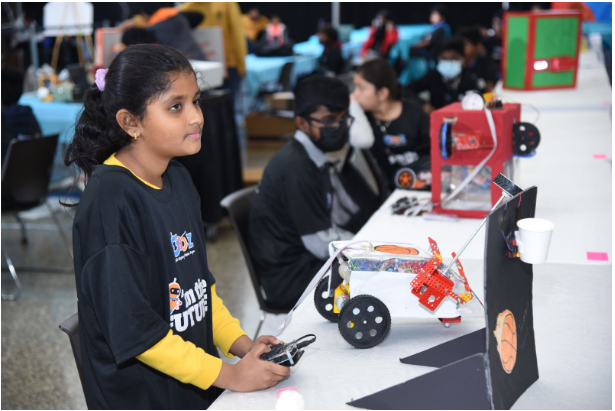
Kids can physically build obstacle courses, test commands, modify instructions, and watch robots respond immediately.
This dynamic learning method improves focus, memory retention, and long-term understanding.
Supports Different Learning Styles
Every child learns differently. Some children learn visually, while others prefer hands-on activities or auditory instruction.
Coding robots support multiple learning styles simultaneously through:
- Visual programming interfaces
- Physical interaction
- Audio feedback
- Creative challenges
- Logical problem solving
This flexibility makes robotics education accessible to a wide range of learners.
Encourages Teamwork and Collaboration
Many coding activities involve teamwork and collaborative problem solving. Children often work together to design programs, complete missions, and troubleshoot coding errors.
Collaborative learning improves communication skills, leadership abilities, and social interaction while making lessons more enjoyable.
Important Features of Educational Coding Robots
Choosing the right coding robot is important for maximizing educational value. High-quality programming robots typically include several key features.
Beginner-Friendly Coding Systems
Robots designed for children should offer simple and intuitive programming methods. Block-based coding and drag-and-drop interfaces are ideal for beginners.
Interactive Design
Lights, sounds, movement, and voice interaction help maintain children’s interest and create a more engaging educational experience.
Durable Construction
Children frequently handle educational robots, so durable materials and child-safe designs are essential for long-term use.
Expandable Learning Levels
The best coding robots grow with children’s skills by offering multiple difficulty levels and advanced programming options.
App and Device Compatibility
Some coding robots connect to educational apps or tablets, providing additional games, lessons, and coding challenges.
Benefits for Parents and Teachers
Coding and programming robots offer valuable educational support for both families and schools.
Simplifies Technology Education
Parents and teachers do not need advanced programming expertise to introduce robotics education. Most educational robots include guided tutorials and beginner-friendly instructions.
Reduces Passive Screen Time
Unlike entertainment-based screen activities, coding robots encourage active engagement and hands-on interaction, creating healthier technology habits for children.
Improves Classroom Engagement
Teachers use robotics activities to increase student participation, creativity, and motivation during STEM lessons.
Interactive learning experiences often help students stay focused and excited about learning.
Ideal for Homeschooling
Homeschooling families benefit from coding robots because they provide structured educational activities while promoting independent learning and exploration.
Popular Types of Coding Robots for Kids
There are many types of educational coding robots designed for different ages and skill levels.
Screen-Free Coding Robots
These robots use buttons, coding cards, or physical controls instead of apps or computers. They are ideal for younger children and preschool learners.
App-Controlled Robots
Children can use drag-and-drop programming systems through educational apps to control robot actions and behaviors.
DIY Robotics Kits
Build-your-own robot kits combine engineering and coding education by allowing children to assemble and program robots themselves.
Artificial Intelligence Robots – Building the Future
Advanced robots include AI features such as voice recognition, facial detection, and adaptive learning systems for more interactive educational experiences.
The Role of Robotics in Future Education
Educational systems worldwide are increasingly integrating robotics and coding into school curriculums. As artificial intelligence and automation continue to transform industries, digital literacy will become just as important as reading and mathematics.
Coding robots provide children with early exposure to these technologies in a safe, engaging, and age-appropriate way.
Future educational robots may include:
- Personalized AI tutoring
- Augmented reality integration
- Advanced voice interaction
- Adaptive learning systems
- Collaborative online coding environments
These innovations will continue making technology education more accessible and effective for young learners.

Conclusion
Coding and programming robots for kids are transforming modern education by combining technology, creativity, and hands-on learning into one engaging experience. These educational tools help children develop essential skills such as problem solving, logical thinking, computational reasoning, creativity, and teamwork.
As technology continues to shape the future, coding literacy is becoming increasingly important for academic success and future career opportunities. Programming robots provide children with an exciting introduction to STEM education while making learning enjoyable and interactive.
Whether used at home, in classrooms, or through homeschooling programs, coding and programming robots are essential tools for preparing children to thrive in a rapidly evolving digital world.
